TL;DR: If you’re seeing strange unicode characters and broken animations after importing Divi Den Pro layouts into Divi 5, you’re not alone. Here’s what’s happening and how to fix it.
The Problem
After recent Divi 5 beta updates (specifically Beta 4), users began reporting that imported layouts display incorrectly—showing garbled unicode characters instead of proper content, with animations failing to load. Previously imported layouts that worked fine suddenly broke.
What’s Causing It
Our team traced this to two separate issues introduced in recent Divi 5 updates:
1. Import encoding bug — A Divi 5 update broke the import functionality, causing encoding issues that display as unicode characters
2. Font caching bug — Divi 5’s cache system causes fonts to disappear on the frontend after importing sections, even when the content imports correctly
The good news: these are Divi-side issues, not problems with the layouts themselves.
The Fix
We’ve released an updated version of Divi Den Pro that resolves the encoding/import issues.
Make sure you’re running the latest Version 5.5.3 (updated 11 Dec 2025)
Note: Divi Marketplace Version DDPDM V5.5.3 is still stuck in the marketplace review queue. It might be live by the time you read this.
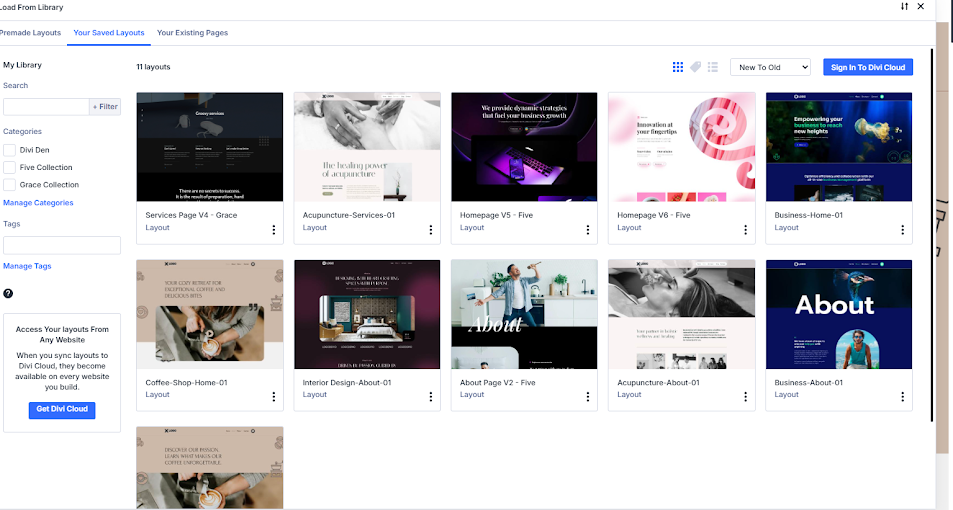
Workaround for Font Issues
If fonts aren’t displaying correctly after importing layouts:
1. Go to Divi → Theme Options
2. Click the Clear CSS Cache button (top right corner in the toolbar)
3. Refresh your page with Ctrl+F5 (hard refresh)
Unfortunately, Elegant Themes removed the option to disable caching entirely in Divi 5, so clearing the cache manually is the current solution.
If Problems Persist
For severe cases where the updated plugin doesn’t resolve the issue:
1. Roll back Divi 5 to Public Beta 2 (confirmed working)
2. Remove the affected layouts from your Divi Library
3. Re-import them on the rolled-back version
4. Wait for Elegant Themes to patch the issue in a future update
Status
– ✅ Updated Divi Den Pro released with encoding fix
– ✅ Featured image import issues resolved
– ⏳ Font caching remains a Divi 5 core issue (workaround: clear Divi cache)
We’re monitoring Divi 5 updates closely and will continue updating our plugin as needed. If you encounter any issues, reach out to our support team.
Latest Posts
 Divi 5 Update: 61 New Sections Added to Divi Den Pro
 Divi 5 Update: 110 New Sections Added to Divi Den Pro
 Divi Motion Text brings Typing, Highlight, and Word-swap Animations to Your Headlines
 Divi Mask Library | 4,500+ Custom Image Masks for Divi 5
 Divi 5 Update: 42 New Sections and 4 Pages Added to Divi Den Pro