Coming Soon: Divi Motion Text is not available for purchase yet… Pending review on the Divi Marketplace.
Divi Motion Text adds one Motion Text module to the Divi 5 Visual Builder with three animation families built for headlines: Typing, Highlight, and Swap. Every effect inherits the page’s font, color, and responsive controls. No external libraries. No custom CSS. No leaving the builder.
Drop it in. Type your phrases. Publish.
Three Effect Families. One Module.
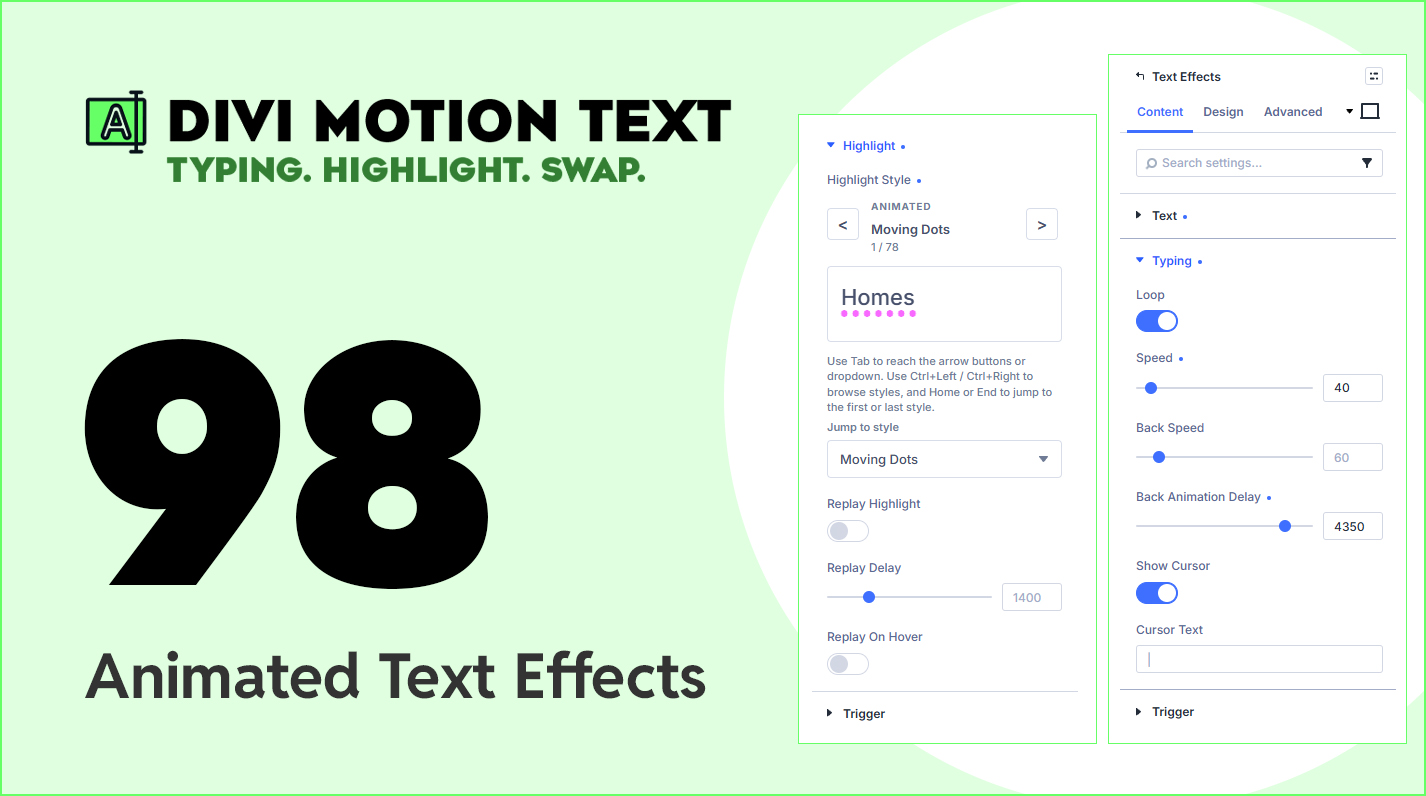
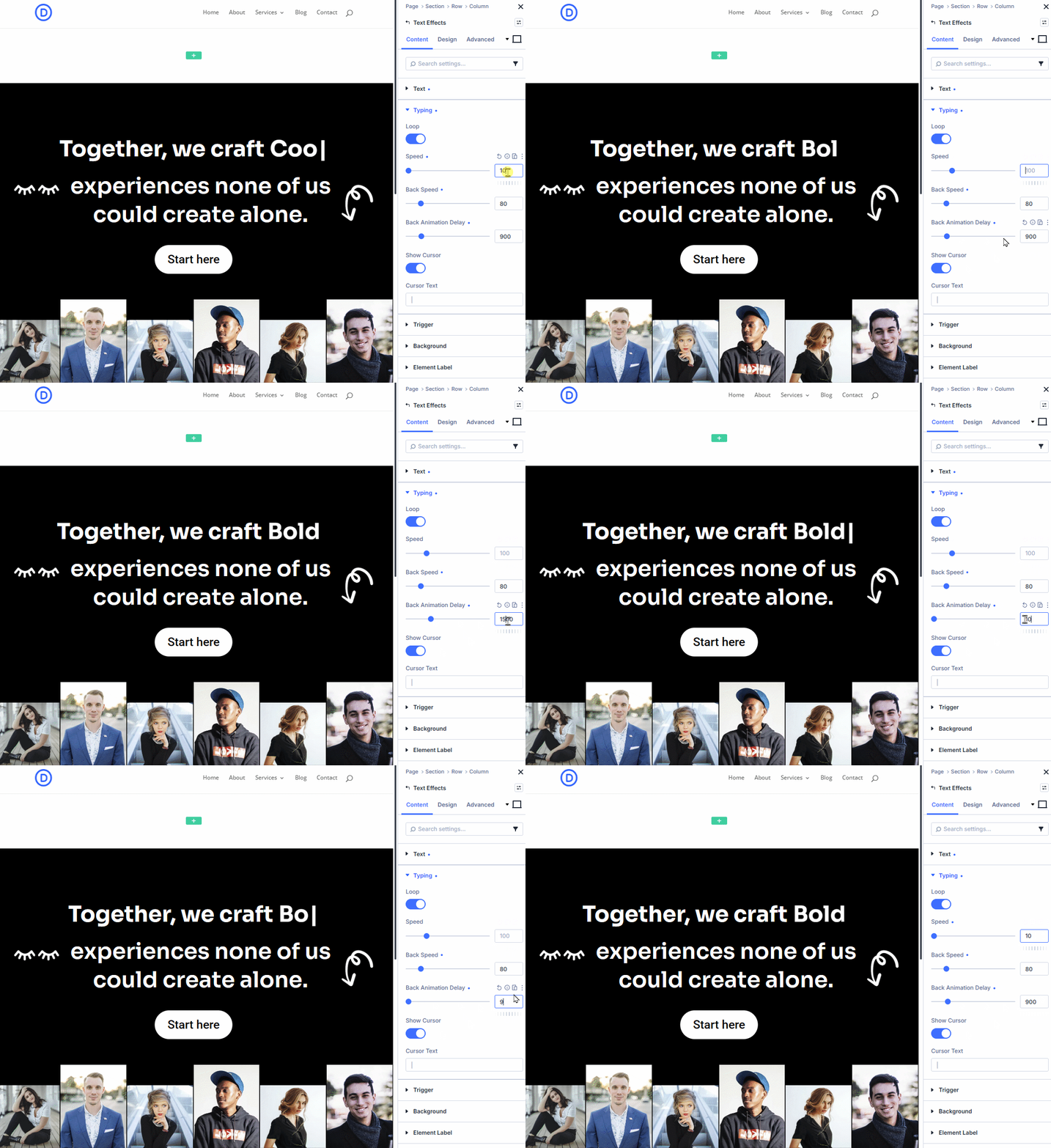
Typing – Typewriter-style character-by-character animation across a list of phrases. Configurable type speed, back speed, back delay, loop toggle, and a fully customizable cursor (character, color, font).
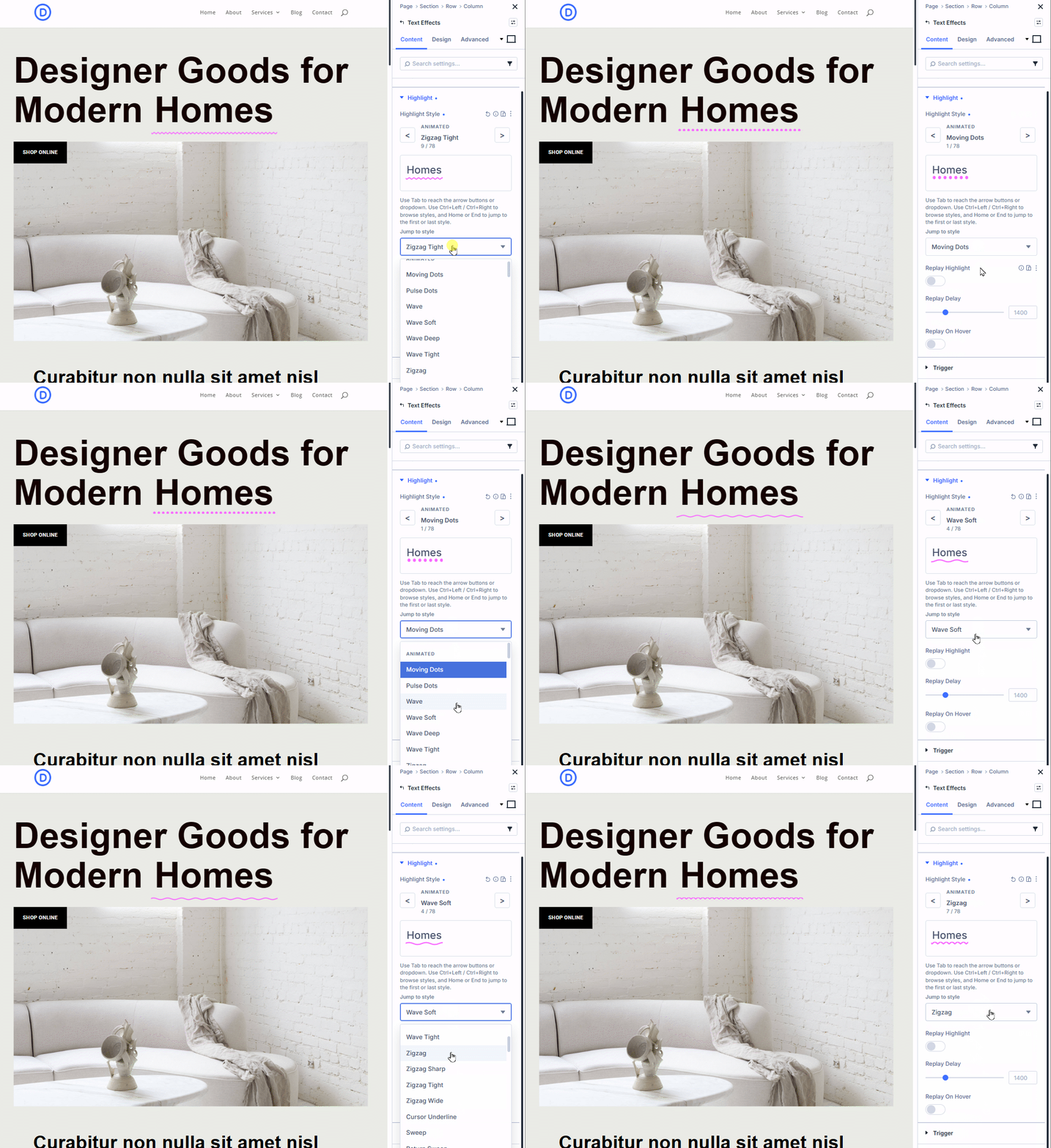
Highlight – Animated SVG accents drawn over (or behind) a key word — underlines, circles, brushes, and looping accent styles from a built-in preset library. Full transform control: accent color, stroke width, offset X/Y, rotation, and scale.
Swap – Smooth word-swap transitions between a list of phrases. 19 preset transitions organized into Basic (fade, fade up, fade down, crossfade), Motion (slide, slide + fade, slide blur, slide down, bounce), Transform (scale swap, pop in, zoom, zoom fade, rotate in, skew swap), and Advanced (blur swap, clip reveal, flip horizontal, flip vertical) — including overlap-based transitions for tighter pacing.
Nothing New To Learn
Open Insert Module and you’ll see Motion Text sitting alongside Divi’s native modules — same visual treatment, same Content and Design tabs, same controls you already know. There’s no new interface to figure out.
Style the animated word separately from the static text around it using dedicated Design groups for text, before text, animation, after text, and cursor. Wrap your animated phrase inline with before text and after text. Stack it vertically or run it inline. Choose your semantic wrapper — div, span, p, or h1 through h6 — so your headline ships with the right HTML for SEO and accessibility.
Set the animation to loop, or set it to pause the moment it scrolls out of view — so you’re not burning CPU on a hero section nobody’s looking at.
Where This Fits In Your Divi Toolkit
Divi 5 ships with a great text module. Static text, native controls, well behaved. What it doesn’t ship with is motion — typing effects, highlight accents, or word-swap rotations on key phrases. That’s the gap Divi Motion Text fills, and that’s the only gap it fills.
You’re not buying a page builder replacement, an animation framework, or another admin dashboard to manage. You’re adding one module that does three things, sits next to Divi’s native modules, and uses the font, color, and responsive controls you’ve already set up. When Divi updates, this updates with it. When you style your page, this inherits your styles.
Built by Divi Den — the same team behind Divi Mask Library, Divi Icon Library, and Divi Den Pro. Each product stays in its own lane and complements the others. Part of your toolkit for building great Divi 5 websites.
What You Can Build
- Hero headlines that type out a rotating list of value propositions one phrase at a time
- Section titles with a hand-drawn highlight accent over the key word
- Tagline blocks that swap between three or four short phrases with a clean transition
- Service grids where each card’s headline animates into view
- CTA sections with a typed cursor blinking after the call to action
- Footer copy that highlights what your business actually does
How It Works
1. Install Add Divi Motion Text to your WordPress site and activate it. Requires Divi 5.
2. Insert Open the Visual Builder, click Insert Module, and choose Text Effects. The module appears alongside Divi’s native modules — same visual style, same controls.
3. Configure & Publish Pick an effect family (Typing, Highlight, or Swap). Enter your before text, animated phrases, and after text. Style with familiar Divi font and color controls. Publish.
What You Won’t Have To Deal With
No surprises between builder and frontend. What you see in the Visual Builder is what ships to the page, because the render output is shared across React preview and PHP frontend
No CPU drain on mobile. Animations pause the moment they scroll out of view, so battery and performance stay where they should
No admin sprawl. No dashboards to manage, no settings pages to learn, no upsell modals interrupting you in the builder
No fight with responsive controls. Your breakpoints, your font scaling, your color system — Text Effects inherits all of it the way every other Divi module does
Requirements
- WordPress 6.3 or newer
- PHP 8.0 or newer
- Divi 5 (the Visual Builder must be Divi 5 — older Divi 4 builders are not supported)
- A valid Elegant Themes Marketplace purchase
- Elegant Themes API key entered in Divi > Theme Options > Updates
Support & Updates
Divi Motion Text includes 1 year of support and updates through the Elegant Themes Marketplace. After the first year, renew your license to continue receiving updates and support.
If you need help, click Contact The Author on this product page.